Play Snake on Mobile
Snake 3D works in modern mobile browsers with no app download. Swipe in one of four directions across the board or use the on-screen arrows. Control size and graphics quality can be adjusted in Settings.
Play Snake on mobile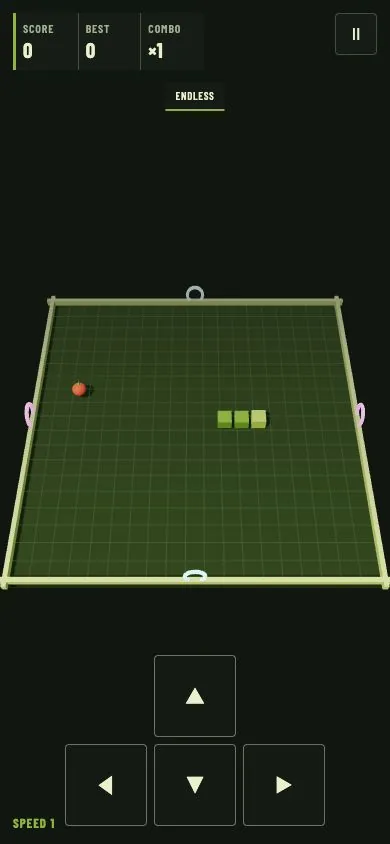
How to move with a swipe
Touch an open part of the game board, drag in the intended direction, and release. The movement does not need to cross the entire screen. It only needs to be long enough to distinguish a deliberate gesture from a tap. Horizontal movement maps to left or right; vertical movement maps to up or down.
The dominant axis wins when a gesture is diagonal. A swipe that travels farther right than down becomes a right turn. This makes the control tolerant of natural thumb movement while preserving the four-direction rules of classic Snake.
How to use the arrow buttons
The directional pad appears at the bottom of the game after a mode starts. Tap once for each intended turn. The buttons are useful for precise corners, one-handed play, and devices where gesture recognition feels less predictable.
Open Settings from the menu or pause screen to choose a control size. Medium uses less screen space. Large is the default balance. Extra Large creates the easiest touch targets and is recommended for small displays or players who prefer buttons over swipe gestures.
Portrait and landscape
The game supports both orientations. Portrait usually leaves the directional pad below the board and works well for one-handed swipe play. Landscape provides a wider view, but browser toolbars and short screen height can reduce vertical space. Use the orientation that keeps the full board and pause button visible.
If the browser changes orientation during a run, pause first when possible. The renderer resizes to the available viewport, but a momentary browser layout change can distract from the next grid step.
Mobile graphics and sound
Graphics quality controls rendering detail rather than game rules. Start with High on a recent phone. Choose Medium or Low if animation appears uneven, the device becomes warm, or the browser reduces performance. A stable frame rate makes the snake position easier to read even though the simulation remains grid-based.
Sound can be turned off without muting the device. Preferences are saved in the current browser. They do not follow the player to another device because the game has no account system or backend.
Prevent accidental turns
- Begin swipes on an open part of the board rather than on the pause button or directional pad.
- Use a clear single-axis movement. Small curved gestures are more likely to select an unintended dominant axis.
- Do not attempt a direct reversal. Turn perpendicular first, just as with keyboard controls.
- At high speed, swipe slightly before the head reaches the desired corner.
- Switch to Extra Large arrows when thumb accuracy is more important than visible board margin.
Playing on tablets and Chromebooks
A touchscreen Chromebook or tablet can support both keyboard and touch input. Use one method consistently during a fast section so the planned direction remains clear. The same short input queue handles all control types, so a valid keyboard turn followed by a valid touch turn can both be applied.
The game does not require installation. A school or managed device may still restrict websites according to its own policies. Snake 3D does not attempt to bypass device management, filters, or network rules.
Mobile privacy and saved data
The best score, selected language, sound preference, graphics quality, and control size are saved locally in browser storage. There is no public profile or online ranking. Clearing site data or switching browsers removes access to that local record.
Quick mobile setup
- Open Snake 3D in a modern browser.
- Open Settings and choose a control size.
- Lower Graphics quality if the board does not animate smoothly.
- Start Endless for practice or Levels for goal-based maps.
- Use a clear swipe or tap one arrow to choose the first direction.
Read the full control reference for input details and the strategy guide for route planning on smaller screens.